Tool: Shape Builder
Draw two overlapping circles. Where they cross, there’s a lens — a pointed oval sitting in the middle, perfectly visible to you and completely nonexistent to the program. It isn’t an object. Nothing in the document knows it’s there. It’s an accident of two other objects being in the same place, the way a shadow is an accident of a lamp.
Shape Builder is the tool that makes it real. You drag across the lens and it becomes a shape — its own object, with its own fill, which you can now move away and leave two crescents behind. Hold alt and drag across a face and it’s gone, subtracted out of whatever it was part of.
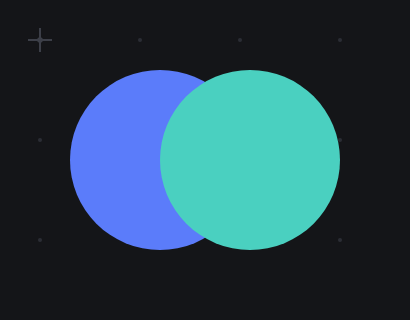
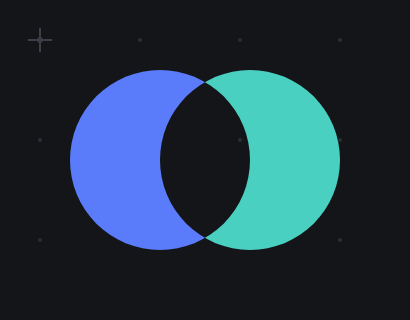
That’s the whole tool. It sounds like a convenience. It is a different way of drawing, and I want to explain why, because it took me a long time to notice.
Consider how you’d draw a crescent moon without it. A crescent is a closed curve with two arcs and two sharp points. So you take the pen, and you place an anchor at the top point, and you drag out a handle to set the curvature of the outer arc, and you place another anchor at the bottom point, and you break the handle so the curve can come back in a different direction, and you drag out a new handle for the inner arc, and you close the path, and then you spend a while nudging the handles because the inner arc isn’t quite parallel to the outer one.
Every one of those steps required you to already know what a crescent is made of. You had to decompose the shape in your head — into anchors, into tangents — and then type the decomposition in. The tool asked you for the answer, and you had to have it before you started.
Now draw it with Shape Builder. Circle. Second circle, offset. Alt-drag across the overlap. Crescent.
You didn’t decompose anything. You didn’t think about anchors or tangents, and you certainly didn’t think about which direction the inner arc’s handle points. You thought about two circles, which is what a crescent actually is, and you let the geometry work out the rest.
The difference is not speed, although it is faster. The difference is that the first method requires you to know the answer, and the second one lets you find it. You can put down four rectangles and a circle without a clear plan, look at what the overlaps suggest, and carve. That’s a search, and the pen doesn’t let you search. The pen makes you commit. [1]
This is why I keep saying it changes how you draw rather than what you can draw. Anything you can build with Shape Builder, you could in principle have built with the pen. In principle you could also compute a square root with a pencil. The question is never what’s possible, it’s what’s cheap, because what’s cheap is what you’ll actually try, and what you try is where the good ideas come from.
Make the exploration cheap and you get more exploration. That’s most of what a good tool is.
The name for this in the wider world is boolean geometry — union, intersection, difference — and it is usually presented as a menu. You select two objects, you open a panel, you pick “Subtract Front”, and you find out whether that was the one you wanted. If it wasn’t, you undo and try “Minus Back”. The operation is correct and the interface is a guessing game, because the thing you want to manipulate — that face, the one you can see — is not what the menu talks about. The menu talks about objects and stacking order.
Shape Builder throws away the menu and lets you point at the face. You want that region? Drag over it. You want it gone? Alt-drag over it. There is no stacking order to reason about, no dialog to translate your intention into, and no guessing. The interface is the drawing. [2]
It’s mapped to M, and it is the one tool in the toolbar that reliably makes somebody say “oh” out loud the first time they use it. I have come to trust that sound more than most of the numbers you can put in a spreadsheet.
[1] Someone will point out that you can edit a bezier after you draw it, and you can, and that isn’t the same thing. Editing a path you already committed to is repair. Dragging across faces you haven’t decided about yet is exploration. The posture is different, and so is what you end up making.
[2] The generous reading of the menu version is that it was designed when nobody knew whether the “point at the face you want” interaction could be made to feel good, and it’s genuinely hard: you have to compute all the faces up front, live, while the cursor moves. That’s a real engineering cost, paid once, so that the guessing game is paid by nobody.